10 Best Devices To Read Your Books On

0 comments

Lately, as ebooks have grown in popularity, so too have tools to read them. Any device worth its’ components can read an ebook these days, and it’s hard to find the right device for reading, so I’ve outlined the ten best devices available below for you to read on. Feel free to share this article if you find this useful.


1. iPad mini


The iPad mini makes one of the most fantastic devices for reading because of its’ flexibility and its’ design. The adjustable brightness and color scheme in iBooks make it ideal for reading in all conditions and lighting, and taking notes is a breeze. For those who prefer the flexibility of the kindle eco-system, a kindle reading app is available, providing you with all of your Kindle Content on a beautiful (if not Retina) display. The iPad Mini is also ideal for travel due to its’ light weight handheld design, and it just feels nice in the hand when using. If you’re looking for a portable, multi-purpose device that’s lighter than an iPad and provides a great reading experience, the iPad Mini nails it. Price: Starts at $329.


2. iPad


The iPad (normal size) offers the same advantages of flexibility as its’ iPad mini brother, but offers additional benefits from its’ larger screen. Screen size is really a matter of preference. If your eyes are good, the mini might be a better choice, but for those with poor vision, the iPad allows greater flexibility in text, and mimics an actual book more than an iPad Mini does. In addition, the retina display (high number of pixels per square inch) means that all of your text is extremely sharp and crisp, leading to a more distraction free environment. The drawbacks of that larger screen are a more bulky tablet that can weigh down your hands, and makes it less portability, and since it’s larger, it carries a larger price tag. Price: Starting at $499.


3. Kindle


The various models of e-ink Kindle offer all the advantages of a stand-alone eReader such as long battery life, low eye strain, and a distraction free environment, but they offer the same drawbacks: Limited Functionality, and Poor Low light performance (depending on the model). They’re very affordable, feature the fantastic Amazon Ecosystem which is the undeniable best place to buy books, and they work well. Kindles are a very good choice and start at $70.


4. Nook


I won’t dwell on the Nook by Barnes and Noble long because Nook Ereaders offer practically the same benefits as Amazon’s Kindle, except with slightly different models. The ecosystems are similar, and they’re also a good option and start at $20.


5. Nook HD Tablet


The Nook Tablet is a great intermediary between the iPad and an eReader. The Nook Tablet runs on Android OS with a nicely curated selection of apps and games, giving it far more functionality than an e-ink Ereader, and the color display offers a really nice reading environment. Gameplay isn’t as good as on the iPad, but that’s to be expected at this price point, and video is pretty nice for its’ size and price. It also offers a solid ecosystem, though not as good for multimedia as that of Amazon and Apple. It starts at $199.


6. Samsung Galaxy Note II


This is a phone I’ve personally tested alongside my iPhone, and reading is comparable to that of on the mini. The ecosystem of the Google Play store is growing, but the Kindle app is also an option for reading. The giant AMOLED display is bright, large, sharp, and vibrant which makes it the best phone currently available for reading, and the hardware makes this phone capable of much more besides reading.


7. Google Nexus 7


This runs on Google’s Android and uses their play store (as I said- it’s growing nicely). It’s very affordable, decently fast, and offers a very nice reading functionality, along with the freedom of not being attached to a smaller ecosystem that brings it onto this list. It’s very thin and light, and it starts at $199 but you can get it for $100 with a contract with AT&T.


8. Yotaphone


I’ll now transition into the future with the newly unveiled Yotaphone. It runs Google’s android with the same access to the Play Store, and the Kindle app as other android devices, but it offers one unique feature: A Built-in e-ink display on the back. Think of it as a smartphone with an eReader glued to the back. The e-ink extends the battery life by giving you a very low-power-consuming option for reading, and e-ink also offers a very nice distraction-free feel. It’s a great combo with price still to be determined.


9. Ascend Mate


The forthcoming Ascend Mate is the galaxy II (a huge smartphone) except larger, which should make it phenomenal reading, although not necessarily a great phone. I’d categorize it as nearly a tablet, and thus it’s the most portable tablet there is.


10. Lenovo Horizon 27


Yes, computers can be read on too. The Lenovo Horizon 27 offers a 27 inch tablet display that can transition between tablet and computer with ease. Windows 8, which it runs, offers several eReader apps, but in addition to reading on its’ fantastic screen, you can also use it as a full computer. The size, and mobility of this device (around the home) give it an advantage over other computers as a reading device. It flattens down to make reading a breeze, but pops up for reading, and it’s only $999 which actually a fantastic price for its’ stats, considering Microsoft sells their professional surface 10 inch device for just about the same price.


There are a lot of great eReaders out there that I could not cover, but these are definitely the ten best I know of. Do you know of any better? What are your favorites?


Author Bio:


Michael Sitver is the founder, and Editor in Chief of Appstorechronicle.com, a Daily app and gadget blog covering the latest technology with reviews, tips, and more. As a writer he has worked with major tech companies, small startups, innovators, entrepreneurs, and other bloggers on various projects. He also serves as a technical consultant to small businesses.

Whose iOS apps are better ? Apple or Google's ?

0 comments

If you know anything about Google's iOS apps, then you should be familiar with its most popular brands - The Android platform and Nexus mobile devices/Samsung Galaxy S III. But google has not stopped at that, it has been developping and creating a newer range of iOS apps since 2009.iPhone apps at the iOS App Store aren't all from Apple (the iphone maker). In fact, some of the best apps are from the big G. If you are an iphone user, you can judge for yourself how better Google is getting at mobile design.


Here are some examples:

Google Wallet.

Google Maps App for iOS .

YouTube apps for the iphone, iPad(Jasmine) and iPod touch..

Chrome for iPhone and iPad via iTunes..

Gmail 2.0 app for the iphone and ipad..

Voice-enabled iOS Search app on Siri..

Youtube Camera App called Capture(video recording app for iPhones).

The extent of this rivalry is reflected in Apple's apparently protective gesture when they announced that Google Maps and YouTube apps would no longer come preinstalled on its newer devices iOS 6 onwards.

Google is not only offering its brand apps, it is also active as a developer on the Apple’s platform improving on its rival's apps. There are stuff where Apple is good at(Siri, mobile Safari) and there are stuff where google seems to be better (Google Maps vs The Apple Maps, Google Wallet vs Passbook).


How to Install the iOS 6 Software Update

0 comments

Why would you need to update?

Well, features. For instance, If you still have the iOS4, you might want to add the iMessage.

iOS 6 software update released on september 19th. Works for iPhone 3GS, iPhone 4, iPhone 4S, The new iPad, iPad 2 and iPod touch 4th generation. iPhone 5 and iPod touch (5th generation) come with iOS 6 pre-installed.


You can upgrade to ios 6 via IDevice or install the update over the Air via iTunes.

Steps for IDevice method upgrade.


1. Connectivity

Ensure your device is powered and connected to a Wi-Fi network.

2. Back up.

First of, back up your device. You can use Apple's Icloud service or better use Itunes(make sure to install latest version). Simply hook up your Idevice to your Mac/PC and use the Back Up function.

3. Download iOS 6 Software Update

Download IOS 6 direcly from your phone(Settings/General/Software Update/IOS 6). After the download has completed tap Install to update your iOS. Your Iphone/Ipad will automatically restart after installation.

Instructions for updating over the Air via iTunes.

You can update by plugging your device to itunes.

1. Open iTunes and connect your iPhone, iPad, or iPod touch, to your computer(Mac or Windows PC).

2. After iTunes opens, select your device when it appears in iTunes under Devices. If your device isn't automatically selected in iTunes, on the left hand side of Itunes, look for the Devices list, click on your Idevice and hit the Check for Update button..Otherwise you will automatically be promoted for download/Update.

3.If necessary, restore your device from backup and sync with iTunes. You can restore from backup or simply use option-select (or shift-select on Windows) on the update button instead of restore.

This update Works for:

iPhone 4S

iPhone 4 (GSM)

iPhone 4 (CDMA)

iPhone 3GS

iPad (3rd Generation) with Wi-Fi

iPad (3rd Generation) with Wi-Fi and Cellular (AT&T)

iPad (3rd Generation) with Wi-Fi and Cellular (Verizon)

iPad 2 with Wi-Fi Only

iPad 2 with Wi-Fi (Rev. A)

iPad 2 with Wi-Fi and 3G (GSM)iPad 2 with Wi-Fi and 3G (CDMA)

iPod touch (4th Generation)

How To Install iOS 6 Update on the iPhone 4, iPad 2, iPod Touch 4G.

Top 10 Android eBook Reader Apps

0 comments

Smart phones & Tablets never seem to have their market graph steep down since their launch and with no doubts Android would be their favourite OS of choice . Tablets even seem to end the Amazon Kindle legacy over the eBook market. This OS giant, Android never forgot to extend its enhanced functionality over the eBook lovers and as a result loads of eBook reader Apps seem to flood the play store. So here is a list of 10 Best Android eBook reader Apps that you can trust on.


Kindle


For any eBook Reader, this App doesn't need much introduction for you. Thousands of eBooks available over here. You have the built-in Google & Wikipedia readers to help you reading. A complete eBooks sync are also available over here and the biggest advantage on the sync is no matter what your mobile OS is, most probably you will find a Kindle App i.e., Android, iOS, Windows, Blackberry and so syncinig becomes easy. You can even borrow books. A small fault would be the words crowding over your page if the original content is so, and you have very less chances of correcting them.


Aldiko Book Reader


Probably the fast growing and one of the best eBook reader in Playstore would be this. Aldiko Book reader supports EPUB, PDF and other DRM encrypted books. The best thing in the App is that its highly customizable. You can adjust the font size, font color, background color, margin alignment, line spacing & brightness as well. You get excellent library alignment features. You also get an In-App shopping slot and it also supports 10-15 languages. The App works on all Android 2.2 and above versions.


WATT PAD


10 million free books are over here. What ever be your favourite genre, you can find some new book over here. There are a lots of positive user review over here. You also get an easy sync option over here. The brightest fature is that you can write your own articles and publish them over here for others to read. Personalize all you things over here. You can also connect it with Facebook. Sure, give it a try.

Is there any chance of this Internet giant missing to launch such an App. Google reader helps you follow your favourite blogs, sites and more and syncs your device with such places. So now you device is up to date in the reading world. It uses the default Google Docs to read files. You can even add more than one account. You have easy customizable widget options. The audio feature seems to be a bit low and possibly future Google updates would resolve the current issues.

Cool reader making Cool entry to eBook readers world and seems to make reasonable impacts. It supports a wide range of format from fb2, doc, txt, rtf, html to pml formats. You can have both page and scroll views. You also have a built in file browser, recent page access, table of content, bookmarks, online catalogues, Text to Speech softwares, hyphenation dictionaries and lot more innovative and exciting feature. You too get the same customizing options as other readers. One of the best eBook reader in the market to go for.

A powerful reader. Powerfull in the sense its stable controls and functions. From zip, rar to html PDF formats are supported over here. You have 15+ inbuilt themes. You have inbuilt paging keys such as volume and camra keys. There are 5 auto scroll modes and lots of auto adjustment options. Your paragraphs are spaced and indented intelligently. The best thing in this is the stable feel you get while you read.

It has nothing to relate with FB, it supports fb2, compressed and other widely used file formats. Multilingual and with inbuilt dictionary functions. You also have an browser and downloader attached. Many language libraries present over here. Another decent eBook reader.

Millions of free and affordable books over here. You would get every new release update over here. Download and sign up for a new account. There are over 2.2 million books released over there. You can even have previews before buying. A major mistake is that you don't get chances of storing things. You can transfer things to any sort of device. You can share your favourite lines and quotes directly while reading from here. With all other customizing options, its one of the eBook reader you can go for.

A special place for developers and Tech Geeks. All you have over here are Geekish books. So you can have your search specified. You have social networking integration over here. The biggest flaw over here is there is no free books available except a very few. It also suffers from a difficult user interface. A lot of surfing details required which the start up page fails to give.

Do any one need an intro over here ? The biggest PDF reader software, and was unavoidable in the list. You can have it as an additional and almost every PC would have a copy of this, so why not our Tablets and smart phones.

Ebook Readers Review 2013 - good alternatives to Amazon's Kindle

0 comments

For the last five years, e-books have become increasingly popular for their portability easier and cheaper access. But to enjoy the portability advantage, you'd need an ebook e-reader. They are ideal for readers on the go who want to take their ebooks with them on vacation, outdoors, to work or
appointments.

The topic of Amazon kindle alternatives was popular back in 2009 and early 2010.
Today if you have an android phone or a laptop you could simply download the app for it at no extra cost.
That's right,. If you're an iPhone or an iPod touch user, you actually already own an e-book reader.
The iPhone is nowadays a more popular e-book reader than the Amazon Kindle.Stanza is a popular e-reader in the App Store. Heck you can use your cell phone to read e-books. All you need is plug you cellphone to your computer then download a little program on it called MobiPocket. Then enjoy downloading your favorite ebooks to your phone.The Nokia N800 Internet Pad is another alternative to the MobiPocket and works the same way.

Many people wronly believe that Only a kindle e-reader can access the kindle store on Amazon.
But the truth is you can access it from other e-book readers as well. Kindle store and Amazon books can also be accessed on tablets, smart phones and PCs. You have access on anything to which you have downloaded the free apps. However, only the kindle allows you access to books purchased from Amazon(your Amazon Library'stored books)..

Any tablet computer can serve as an ereader. The only difference is longer battery life built in the specialized ereaders. Nook is a cheaper than the Kindle(half the price), it comes with touch screen and wifi.
The screen value can sometimes be oversold since all e-ink readers use the same screen(mostly same manufacturer). With the exception may be of LED-screened Kindle Fire. The Nook is not all similar to, but lucks some of the Kindle's features. Just like the kindle store, Nook have their own though mostly Barnes & Noble(cheaper ebooks and sometimes exclusive content).

Again, it depends on what you want it to do. If you only need to turn the pages and store e-books via an SD card, you can do that with just about any cheaper sony-based e-reader alternative like  the PRS-700.
However, it cannot download books over the air the way the Kindles does.But Soney are upgrading their ereaders and catching up. It can be confusing to sort thru all these gadgets. The only viable and good alternatives to Amazon's Kindle are The iPad 2 and the Kindle Fire.

Check out this ipad 2 ebook reading video to learn more -E-Reader Comparison - Which eReader is right for you?

5 Hot Alternatives For Amazon Kindle Fire

0 comments

Kindle fire has never lost its fame yet even if there exist Apple and Samsung tablets and selling their gadgets like hot cakes in the industry. Again Kindle Fire stands out from the crowd with its uncompromising features and an affordable price. Due to the heavy demand for ebook readers/tablets in the emerging gadgets market, many other prime brands in the industry are also now placed their stand in corresponding market with their hot tablets. Let’s now have a detailed look on such tablets.

1. Lenovo IdeaPad S2 7


Lenovo showcased IdeaPad S2 7 at the CES 2012. The speciality of the tablet is that the device offers wireless HD streaming capability (WHDI). Lenovo has included the feature after it partnered with Amimon, which offers an incredible HDTV streaming experience.

Features:

• The 17.8-cm (7-inch) tablet. • Resolution of 1280X800 pixels. • Dual-core 1.5GHz Snapdragon processor. • The tablet runs on Android 3.2 Honeycomb. • Bluetooth, WiFi and 1GB of RAM.

2. Pantech Element


Pantech debuted its Android tablet Element at CES. The speciality of the tablet is that it comes with waterproof features.

Features:

• The 20.3-cm (8-inch) tablet. • Resolution of 1024 x 768 pixels. • 5-megapixel rear-facing camera with flash and 4X digital zoom, along with a 2-megapixel front-facing camera for video chat. • Runs on Android 3.2 operating system, but the company has promised an Android 4.0 upgrade for the device soon. • 1.5GHz dual-core processor, 16GB of internal memory and an empty microSD card slot, which can be expanded up to 32GB. • The unique feature of the tablet is its IP57 certification. • The tablet is waterproof to a great extent. It can be submerged in up to one meter of water for 30 minutes, provided all its ports are tightly closed.

3. Samsung Galaxy Tab 7.7


Samsung revealed Galaxy Tab 7.7, which is poised to be the thinnest and lightest tablet released by the company so far.

Features:

• The 19.6-cm (7.7-inch) tablet. • Super AMOLED display along with a 1280X800 pixel resolution. • The tablet runs on Android 3.1 Honeycomb and is capable of acting as a smart TV remote control. The device is expected to get an Android 4.0 update. • It is sleek and has dimension of 196.7 X 133 X 7.89mm. It weighs just 340 gms. • It is powered by 1.4 GHz dual-core processor with 1GB RAM and Exynos chipset.


4. ASUS Eee Pad MeMO


ASUS showcased a budget tablet called Asus Eee Pad MeMO, which is poised to compete with the likes of Amazon Kindle Fire. The Android-powered tablet is likely to be priced at around $249.

Features:

• This small tablet is powered by NVIDIA Tegra 3 quad core processor. • Runs on Android Ice Cream Sandwich. • The 17.8-cm (7-inch) device is already being seen as a tough competitor in this size segment. • The device will feature IPS LCD capacitive multi-touch display with a resolution of 1280 x 800 pixels. • It offers up to 32GB of internal storage and comes enabled with Wi-Fi and Bluetooth.

5. ViewSonic ViewPad E70


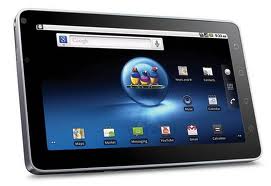
Here is another device which can give tough competition to Amazon’s Kindle Fire. ViewSonic showcased its Android 4.0 powered budget tablet device ViewPad e70. This device stands a better chance as compared to its competitors because it sports Google’s latest Android Ice Cream Sandwich. It is priced at $169 and will be available in the coming months.

Features:

• The ViewPad e70 sports a 17.7-cm (7-inch) screen display with a low 800x480 pixel resolution and runs on a (unidentified) 1 GHz single core processor. • It reportedly has a fairly responsive capacitive touchscreen and comes packed with a microSD card slot, microHDMI port and 4GB of storage. • Reportedly, the ViewPad e70 tablet will come in the Android Market but will have Amazon Appstore and Amazon Kindle app. The company touts it as a wallet-friendly, portable device which lets the users enjoy multi-media mobile entertainment, check e-mail and read e-books.

Amazon Kindles - Kindle 2 & Kindle 3 Reviews

0 comments

Amazon Kindles - The Amazing Wireless Ebook Reader


Amazon's latest Kindle carries everything that made the original Kindle a bestseller. Although there are other e-book readers alternatives out there, Amazon Kindle is still the best dedicated e-book reader you can buy. Kindle is #1 bestselling item for two years running. It’s also the most-wished-for, most-gifted, and has the most 5-star reviews of any product on Amazon. Now it's even better:

- Read in Bright Sunlight – No glare
- New and Improved Fonts – New crisper, darker fonts.
- Double the Storage – Up to 3,500 books.
- 15% Lighter – Only 8.7 ounces, weighs less than a paperback.
- Access a wide and growing selection of books,magazines and more than 9000 blogs.
- New Sleek Design – 21% smaller body while keeping the same 6" size reading area.
- Lots of free and easy downloads. Buying new titles is super simple.
- Battery Life of One Month – A single charge lasts up to one month with wireless off.
- Books in 60 Seconds – Download books anytime, anywhere
- Free 3G Wireless – No monthly payments, no annual contracts.
- Built-In Wi-Fi – In addition to the 3G wireless, you can connect to Wi-Fi hotspots.
- 20% Faster Page Turns – Seamless reading
- Enhanced PDF Reader – With dictionary lookup, notes, and highlights
- New WebKit-Based Browser – Free 3G web browsing (experimental)
Click here for more info on the kindle or to get it

Buy and sell used or pre-owned amazon kindle

Alternatives to the Amazon Kindle

0 comments

Alternatives to the Amazon Kindle


After Apple’s iTunes fans,digitized books "bookworms" have finally got to catch up with the digital reading experience with ebook-readers. Latest in the foray of eBook readers is Amazon’s Kindle 2 which seems less hard to get your mitts on as the original. Kindle is Amazon's fancy e-book reader that is getting all the current marketing buzz. It is not,however,the only e-book reader in the market. There are other "competitive" ways to read your books electronically.

The iPhone or iPod touch come with a built-in ebook-reader.
Lexcycle's free app called Stanza is one of the best e-readers installed on these devices. With it,you can access a wide catalog of free reads from the Random House Free Library,Book Glutoon,Feedbooks, Munseys.com and Project Gutenberg. With the pay-as-you-go option,you can access even wider catalog of books. In addition to its file format display flexibility,The Stanza desktop app also enables you to transfer your own e-books and other converted PDF,TXT,DOC and HTML files from your PC to your handheld device. Also works on Playstation Portable.And like Amazon Kindle,it lets you download content over the air.

Google's Book Search mobile edition is available for the Android platform as well as the iPhone. Works in a similar way to Stanza. It enables you to browse and read from a widely diversified catalog of books and magazines from libraries and publisher collections.And you can download full PDF copies of titles in the public domain.

Sony,the old giant,is by no means lagging behind. They have a complete line of Portable Reader Systems(PRS). Their slick ebook-readers come with simple interfaces and lots of memory.
Their Digital Book Reader (PRS-700) has 800-by-600-pixel screen and comes with a virtual QWERTY keyboard. Note that Soney Readers are just that;unlike the Kindle,they cannot download books over the air.

Here's a list of Amazon Kindle 2 Alternatives:

IPhone'Stanza

IPhone'eReader 1.3

IPhone'Classics

Sony Portable Reader System (PRS-700)

IPhone'BookShelf

IRex iLiad
Not what you're looking for? Try the search box below:

Sell and Buy used or pre-owned amazon kindle for sale

Privacy Policy

0 comments

Privacy Policy for amazonkindlealternatives.blogspot.com

This privacy policy document outlines the types of personal information is received and collected by amazonkindlealternatives.blogspot.com and how it is used.

Log Files

Like many other Web sites, amazonkindlealternatives.blogspot.com makes use of log files. The information inside the log files includes internet protocol ( IP ) addresses, type of browser, Internet Service Provider ( ISP ), date/time stamp, referring/exit pages, and number of clicks to analyze trends, administer the site, track user’s movement around the site, and gather demographic information. IP addresses, and other such information are not linked to any information that is personally identifiable.

Cookies and Web Beacons

amazonkindlealternatives.blogspot.com does use cookies to store information about visitors preferences, record user-specific information on which pages the user access or visit, customize Web page content based on visitors browser type or other information that the visitor sends via their browser.

DoubleClick DART Cookie.

:: Google, as a third party vendor, uses cookies to serve ads on amazonkindlealternatives.blogspot.com.

:: Google’s use of the DART cookie enables it to serve ads to users based on their visit to amazonkindlealternatives.blogspot.com and other sites on the Internet.

:: Users may opt out of the use of the DART cookie by visiting the Google ad and content network privacy policy at the following URL – http://www.google.com/privacy_ads.html

Some of our advertising partners may use cookies and web beacons on our site.

Our advertising partners include …. Google Adsense These third-party ad servers or ad networks use technology to the advertisements and links that appear on amazonkindlealternatives.blogspot.com send directly to your browsers. They automatically receive your IP address when this occurs. Other technologies ( such as cookies, JavaScript, or Web Beacons ) may also be used by the third-party ad networks to measure the effectiveness of their advertisements and / or to personalize the advertising content that you see. amazonkindlealternatives.blogspot.com has no access to or control over these cookies that are used by third-party advertisers.

You should consult the respective privacy policies of these third-party ad servers for more detailed information on their practices as well as for instructions about how to opt-out of certain practices. amazonkindlealternatives.blogspot.com’s privacy policy does not apply to, and we cannot control the activities of, such other advertisers or web sites. If you wish to disable cookies, you may do so through your individual browser options. More detailed information about cookie management with specific web browsers can be found at the browsers’ respective websites.

Theme by BloggerThemes